
Code VBA nhập nhiều file text vào excel cùng lúc, mỗi file một sheet

Code VBA dưới đây hỗ trợ nhập đồng thời nhiều file text từ một thư mục.
Các thực hiện:
- Trong excel nhấn tổ hợp phím Alt + F11 keys to enable Microsoft Visual Basic for Applications window.
- Click Insert > Module, copy xong paste code VBA bên dưới.
- Nhấn phím F5 để thực thi lệnh
- Chọn thư mục chứa file text
- Excel tự động nhập giá trị chứa trong từng file text, mỗi file text sẽ tạo một sheet riêng
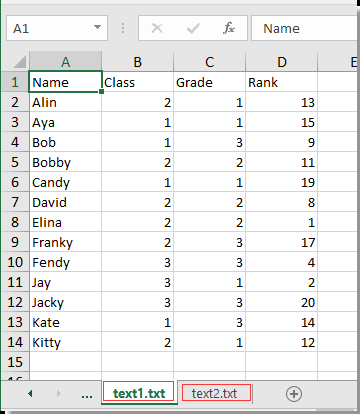
Code VBA:
Sub Test() Dim xWb As Workbook Dim xToBook As Workbook Dim xStrPath As String Dim xFileDialog As FileDialog Dim xFile As String Dim xFiles As New Collection Dim I As Long Set xFileDialog = Application.FileDialog(msoFileDialogFolderPicker) xFileDialog.AllowMultiSelect = False xFileDialog.Title = "Select a folder [Kutools for Excel]" If xFileDialog.Show = -1 Then xStrPath = xFileDialog.SelectedItems(1) End If If xStrPath = "" Then Exit Sub If Right(xStrPath, 1) <> "" Then xStrPath = xStrPath & "" xFile = Dir(xStrPath & "*.txt") If xFile = "" Then MsgBox "No files found", vbInformation, "Kutools for Excel" Exit Sub End If Do While xFile <> "" xFiles.Add xFile, xFile xFile = Dir() Loop Set xToBook = ThisWorkbook If xFiles.Count > 0 Then For I = 1 To xFiles.Count Set xWb = Workbooks.Open(xStrPath & xFiles.Item(I)) xWb.Worksheets(1).Copy after:=xToBook.Sheets(xToBook.Sheets.Count) On Error Resume Next ActiveSheet.Name = xWb.Name On Error GoTo 0 xWb.Close False Next End IfEnd SubTải file excel tạo sẵn tại đây: